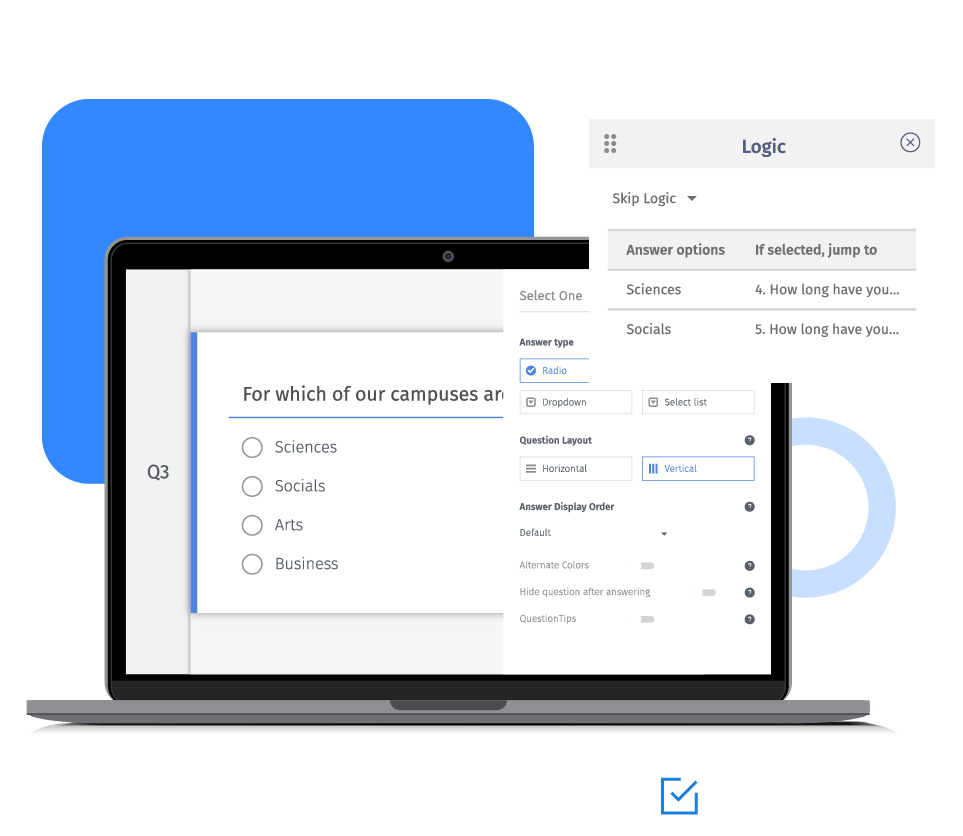
This technique is highly efficient to improve the flow of the survey questionnaire and customize it to make it relevant to the respondents.
Example of a question using the show/hide logic
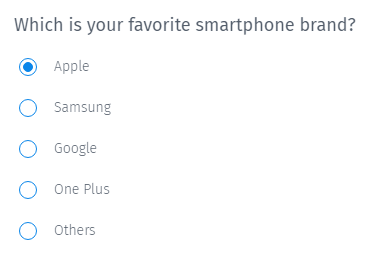
Consider a mobile phone dealer who wants to conduct a customer feedback survey and ask the respondents to select their favorite phone brand and share their experiences. The user will customize the survey such that if respondents choose Apple', then the next question should be related to ‘Apple’, and the questions related to other brands must be hidden.

After applying the show/hide logic, the next question will be:
Using show/hide questions logic in surveys
This logic works when a page break is added between the triggering question and the question to be skipped or shown based on the logic. It can be applied to all the questions except the last one.
Below are some of the logic options that might help you better design your survey.
Show question by default: The application will show all questions by default. Users can toggle this option on to hide answer options.
Criteria: Set a name before creating a new rule. You can later modify existing criteria or add more rules applicable to different questions. Our survey software will show or hide questions if any of the criteria are met.
A criterion consists of conditions based on which the system takes action and decides the survey flow. It has an 'If' statement that determines whether one or more answer options in the current question should be shown or hidden. You can create conditions based on the below parameters.
Question
System variable
Geolocation
Email list code
Device type
Action: You can set below two actions if the condition satisfies.
If criteria is met, show question
If criteria is met, hide question
Uses of the show/hide logic in surveys
Hide irrelevant questions: Use the show/hide logic in surveys to hide irrelevant questions. It makes the survey flow relevant to the survey-takers and improves their survey-taking experience. Respondents might feel irritated if they need to see questions that don’t relate to them.
Ask personalized questions: The show/hide logic in the surveys helps the user to ask the customized questions based on the answer options chosen by the respondents in the previous question. For instance, in a course evaluation survey, the survey administrators can hide the questions for a course that the students didn’t enroll in.
Advantage of show or hide question logic in surveys
Better survey completion rate: Question display logic allows the survey creator to present fewer and relevant questions, which leads to higher completion rate and more quality responses.
New product launch: Questions logic helps determine whether the respondents are interested in the product or not. Further, these responses help the organization to decide on a new product launch.
Reduces effort: Survey administrators need not create different questionnaires for various sets of respondents. They can add all the questions in the same survey and display questions based on the conditions.
How to use the show or hide question logic in your surveys?
Learn how to set up and use this feature with our help file on show/hide question.

 Survey Software
Easy to use and accessible for everyone. Design, send and analyze online surveys.
Survey Software
Easy to use and accessible for everyone. Design, send and analyze online surveys.
 Research Suite
A suite of enterprise-grade research tools for market research professionals.
Research Suite
A suite of enterprise-grade research tools for market research professionals.
 CX
Experiences change the world. Deliver the best with our CX management software.
CX
Experiences change the world. Deliver the best with our CX management software.
 Workforce
Create the best employee experience and act on real-time data from end to end.
Workforce
Create the best employee experience and act on real-time data from end to end.