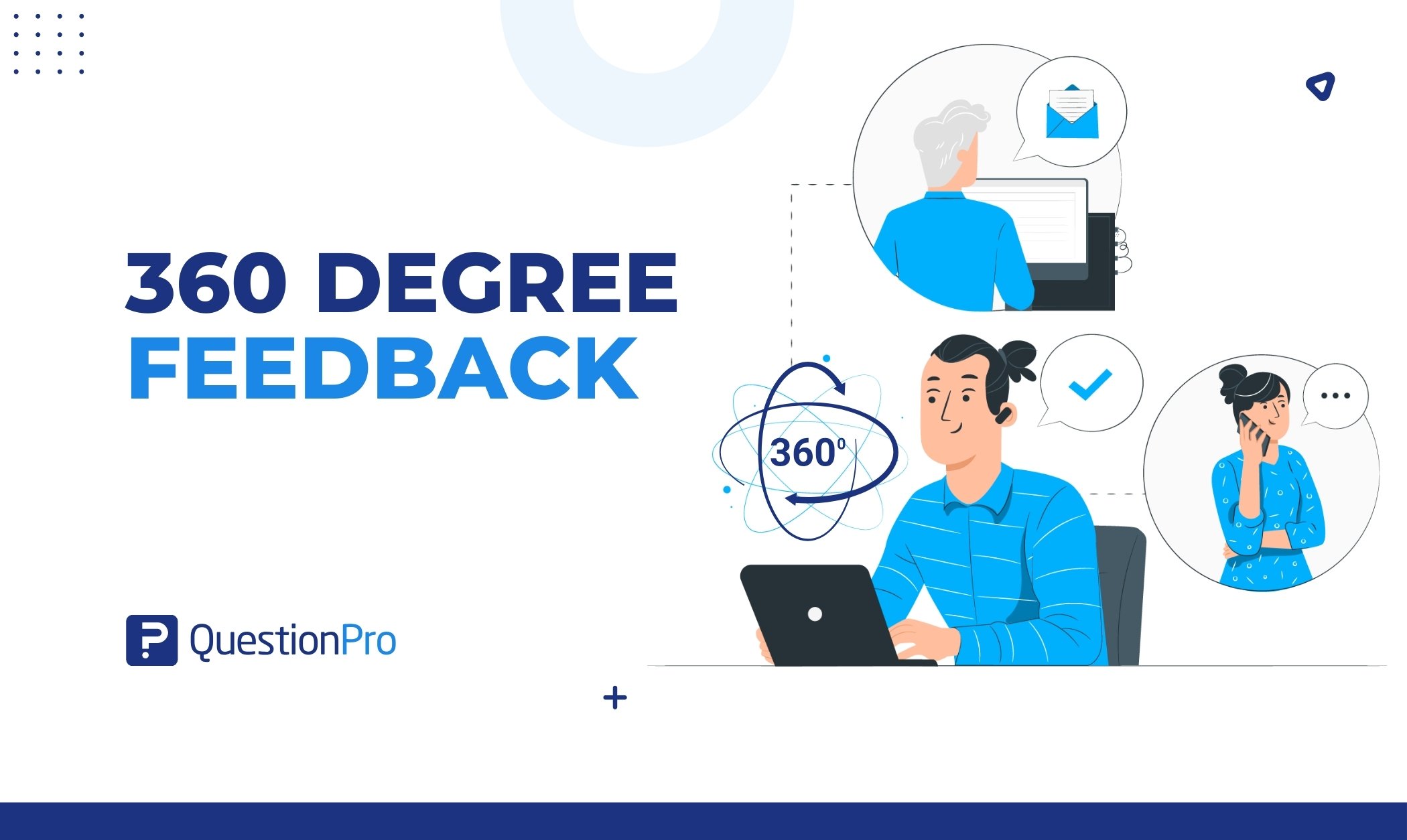
360-degree feedback is a development process that collects confidential input about one person from their manager, peers, direct reports, and themselves. It shows a leader how their intent compares with the way their behavior lands.
Most workers get a single view of their performance. Gallup finds that only one in four employees strongly agree they receive valuable feedback from the people they work with. A wider circle of raters closes that gap.
In this blog, we’ll cover how the process works, who should rate, sample questions, examples, common mistakes, and how to measure success.
What is 360-degree feedback?
360-degree feedback is a structured process that gathers anonymous, behavior-based input from the people around a person. It is also called multi-rater feedback or a 360 review. The name refers to the full circle of viewpoints: above, beside, below, and the person’s own.
Organizations use it mainly for leadership and skill development rather than pay decisions. A report compares the person’s self-ratings with how each rater group sees them. Three features define it:
- Multiple rater groups: Input comes from managers, peers, direct reports, and the participant.
- Protected identities: Scores and comments are grouped so individual raters stay unidentified.
- A development goal: Results feed a plan for growth, not a rating or a raise.
Who gives 360-degree feedback
- Manager: Sets expectations and sees results. There is usually one manager, so this rating is rarely anonymous.
- Peers: Colleagues who work alongside the person. They see collaboration and reliability day to day.
- Direct reports: The team the person leads. They see delegation, coaching, and fairness firsthand.
- Self: The participant rates the same items. The comparison with others exposes blind spots.
- External raters (optional): Customers, partners, or vendors who see how the person shows up outside the team.
How 360-degree feedback works
A 360 review moves through seven steps, from choosing raters to a follow-up check-in. Each step has one job, and skipping any of them weakens the result.
- Set the purpose.
Decide whether the goal is leadership growth, team effectiveness, or skill building. Tell everyone the results will not set pay. - Choose raters.
The participant proposes a balanced list across groups. The manager or HR reviews it. - Build the questionnaire.
Write a 360 survey around the competencies your organization values. Mix rating scales with open comments. - Collect feedback.
Raters and the participant answer the same items. Reminders keep response rates up. - Compile the report.
A neutral party groups results by rater group so no single response stands out. - Hold a debrief.
A coach, HR partner, or manager helps the participant read the report and pick priorities. - Act and follow up.
The participant sets two or three goals and checks progress at set dates.
Terms often confused with 360-degree feedback
Several feedback terms overlap with 360-degree feedback, and a few are exact synonyms. Multi-rater feedback and multi-source feedback are simply other names for the same method. The table separates the rest.
| Term | Who gives input | How it differs from 360-degree feedback |
|---|---|---|
| Multi-rater or multi-source feedback | Managers, peers, direct reports, self | Same method under a different name |
| Traditional performance review | Usually one manager | Offers a single viewpoint and often ties to pay or ratings |
| Upward feedback | Direct reports only | Covers one rater group with no self comparison |
| Peer review | Peers only | Misses the manager and team views |
| Continuous feedback | Anyone, informally | Ongoing and unstructured, with no scored report |
| Employee engagement survey | The whole workforce | Measures groups and trends, not one person |
A 360 survey is the questionnaire, while a 360 review is the whole process around it. Some providers also sell 180 or 270 degree versions that drop one or more rater groups. Definitions vary, so check which groups a vendor includes.
360-degree feedback vs traditional performance reviews
A traditional performance review rates past results from one manager’s view. 360-degree feedback maps behaviors from several views to guide growth. The two work best as partners, not substitutes.
The single-rater model has a trust problem. Gallup found that only 14% of employees strongly agree their performance reviews inspire them to improve. One manager sees only part of the work, which limits what a single review can capture.
A 360 widens the lens and shifts the question. Where a review asks what someone achieved, a 360 asks how they achieved it and how it felt to work with them. That difference is why 360 results belong in development conversations, separate from pay and ratings.
What are the pros and cons of 360-degree feedback?
The main benefit is a clearer, less lopsided view of how someone works, so development targets real behaviors instead of guesses. It is one of the few employee feedback methods that shows behavior from several angles. The main cost is effort and risk, covered after the benefits. Gallup and Workhuman also found that employees who strongly agree they get valuable feedback are five times as likely to be engaged.
- Self-awareness: Comparing self-ratings with others’ ratings shows gaps a leader would miss alone.
- A fuller picture: Several rater groups reduce reliance on one manager’s opinion or mood.
- Targeted development: Specific behaviors point to specific coaching, training, or stretch work.
- Better communication: Raters practice honest feedback. Recipients practice hearing it.
- A stronger leadership pipeline: HR can spot patterns across leaders and plan coaching where it counts.
- A feedback habit: Repeat cycles make asking for input normal between formal reviews.
Limits to plan for
| Limit | Why it happens | How to reduce it |
|---|---|---|
| Time and survey fatigue | Raters may evaluate several people | Keep surveys short and stagger invitations |
| Rater bias | Ratings reflect leniency, friendship, or recent events | Read patterns across groups, not single comments |
| Imperfect anonymity | Small groups make responses easy to guess | Set minimum response counts and merge tiny groups |
| Emotional reactions | Candid comments can sting | Offer a coached debrief before leaders read raw comments |
| A behavior-only view | A 360 shows perceptions, not outcomes | Pair it with performance data and goals |
Does 360-degree feedback actually work?
It works when people act on it, and it often fails when they do not. A meta-analysis of 24 longitudinal studies found that rating improvement after multisource feedback is generally small. A meta-analysis combines results from many studies, and longitudinal studies follow the same people over time. The authors also propose when change is likelier. It rises when the feedback signals a need to change and the person believes change is possible. It rises further when they set goals and act on them.
Harvard Business Review authors Jack Zenger and Joseph Folkman describe a common pattern. A leader reads the report with mild interest, then files it away. The instrument did not fail. The follow-through did.
When to use 360-degree feedback
Use 360-degree feedback when a person’s effect on others matters more than a single result, and when the organization will act on what it learns. These are the situations where it pays off most.
- Leadership development programs: A shared baseline for every participant, then coaching against it.
- New or newly promoted managers: Early input on how the team experiences the change in role.
- Succession planning: Evidence of how senior candidates lead beyond their direct reports.
- Team effectiveness work: Patterns across a team that explain friction or stalled projects.
- Executive coaching: A fact base for the coach and the executive to work from.
- Culture or values rollouts: A check on whether leaders model the behaviors the company describes.
Know when to skip it. 360 feedback can turn into a weapon in low-trust teams. It may lack enough raters per person to protect anonymity. In those cases, start with simpler peer conversations and rebuild trust first.
How to choose raters for a 360 review
Choose raters who work closely with the participant and can describe specific behaviors. Accuracy is highest when raters know the participant’s work well. Many others also recommend at least three raters per group before showing that group’s results.
| Rater group | Suggested number | Who to pick | Watch out for |
|---|---|---|---|
| Manager | 1 | The person’s direct supervisor | The rating is rarely anonymous |
| Direct reports | 3 or more | People who report to them now | Fear of retaliation can soften ratings |
| Peers | 3 or more | Colleagues who work with them often | Friendship or rivalry can skew ratings |
| Self | 1 | The participant | Self-ratings often run high or low |
| External | Optional | Customers or partners with regular contact | They see little internal behavior |
Let the participant propose names, then have the manager or HR review the list. This keeps the process fair and stops people from inviting only friends.
360-degree feedback questions
Good 360-degree feedback questions describe observable behavior, cover one idea at a time, and use the same scale for every rater. Most programs mix rating statements with a few open prompts. This section gives a starter bank, and these 360 review questions extend it.
How to write good 360-degree feedback questions
- Describe behavior, not traits: Ask about “listens before deciding” rather than “is a good listener.”
- Ask one idea per item: Split “communicates clearly and respectfully” into two questions.
- Avoid loaded labels: A word like naysayer invites judgment instead of description.
- Keep one scale: A five-point agreement scale works for most rating items.
- Cap the length: Fewer, sharper questions earn better comments and higher completion.
- Look forward: Add prompts about what to start, stop, and continue.
Rating scale questions by competency
A competency is a skill or behavior pattern linked to success in a role. Use a five-point scale from strongly disagree to strongly agree, and adapt the wording for each rater group.
| Competency | Sample rating statement |
|---|---|
| Self-awareness | Responds calmly to pressure and setbacks |
| Self-awareness | Acts on feedback and adjusts behavior |
| Results | Delivers work that meets agreed standards |
| Results | Focuses on customer or stakeholder needs |
| Problem solving | Takes initiative to solve problems without being asked |
| Teamwork | Shares information and resources with the team |
| Teamwork | Treats colleagues respectfully during disagreement |
| Communication | Explains decisions clearly |
| Motivation | Shows energy and commitment to team goals |
| Leadership | Helps others learn and grow |
| Leadership | Resolves conflict constructively |
| Integrity | Acts ethically when results are at stake |
Open-ended questions
- What should this person keep doing because it helps the team?
- What is one thing this person should start doing?
- What is one thing this person should do less of?
- Describe a time this person handled a difficult situation well.
- What support would help this person grow in their current role?
Questions for leaders versus individual contributors
Leaders need items on vision, delegation, and developing others. Individual contributors need items on ownership, collaboration, and learning. Keep the scale and the open prompts the same so results stay comparable across roles. Change only the behaviors you ask about, and keep each list short enough that raters finish it.
Adapting questions to each rater group
Not every rater can observe every behavior. Match the items to what each group sees:
- Direct reports: Coaching, fairness, delegation, and whether they feel safe to speak up.
- Peers: Collaboration, reliability, and information sharing.
- Managers: Results, priorities, and judgment.
Add a “cannot observe” option so raters never have to guess. The free 360-degree review survey template already splits its items into direct report, supervisor, and colleague sections.
360-degree feedback examples
Concrete examples show how raw ratings become action. The three below are illustrative composites, not client data. For more cases, browse these 360-degree feedback examples.
Example 1: A self-other gap on listening
A regional operations director rates herself on the statement “Listens before making decisions.” Every rater uses a five-point scale. Her results:
| Rater group | Average rating (1 to 5) |
|---|---|
| Self | 4.6 |
| Manager | 3.9 |
| Peers | 3.7 |
| Direct reports | 3.1 |
The gap grows as distance from her authority shrinks. Her team sees her as decisive but not curious. With a coach, she commits to two actions: ask two team members for input before each decision, and restate what she heard.
Example 2: Turning vague comments into usable ones
- Vague: Needs to communicate better. Usable: Project changes reach the team after work has started, which causes rework.
- Vague: Great leader. Usable: Names contributors in client meetings, which makes the team more willing to take on stretch work.
- Vague: Too negative. Usable: Raises risks without offering options, so meetings end without a next step.
A newly promoted engineering manager rates herself 2.8 on “Gives clear technical direction.” Her direct reports average 4.4. She had assumed her team wanted more authority from her. They wanted exactly the calm, specific guidance she already gave. Her debrief turns the finding into a plan: mentor two other new managers and write down her direction-setting habits.
How to give useful 360-degree feedback as a rater
Useful rater feedback is specific, recent, and tied to what you personally observed. Vague praise and vague criticism both waste the report. Follow these steps for each person you rate.
- Recall real moments.
Think of two or three situations from the past six months before you answer. - Describe behavior.
Say what the person did, not what kind of person they are. - State the effect.
Explain what the behavior did to the team, the customer, or the result. - Balance the comments.
Name one thing to keep doing and one thing to change. - Skip what you did not see.
Choose “cannot observe” instead of guessing. - Leave score-settling out.
Rate the behavior, not your history with the person.
How to read a 360-degree feedback report
Read a 360 report by comparing self-ratings with each rater group, then looking for patterns rather than single comments. A blind spot is a behavior others see clearly that the person does not. Raters can still be lenient, harsh, or swayed by recent events, so one outlier tells you little.
Four patterns matter most:
- Blind spot: The person rates themselves high and others rate them low. This is often the most valuable finding.
- Hidden strength: The person rates themselves low and others rate them high. Name it and use it on purpose.
- Shared strength: Everyone agrees the behavior is strong. Protect it under pressure.
- Shared gap: Everyone agrees the behavior needs work. This is the safest place to start.
Pick two or three priorities. Too many goals dilute effort. Compare rater groups too, since strong peer scores with weak direct-report scores point to a different problem than the reverse.
How to run a 360-degree feedback program
A strong program keeps results developmental, protects rater anonymity, and plans follow-up before launch. Say up front that scores will not feed pay or promotion. Raters soften or sharpen comments when the stakes rise.
Plan the timeline
Use this sample plan and adjust it to your size. Large organizations often need more time for rater selection.
| Stage | Timing | What happens |
|---|---|---|
| Plan | Week 1 | Confirm purpose, competencies, and communication |
| Prepare | Week 2 | Build the survey and approve rater lists |
| Collect | Weeks 3 and 4 | Raters respond, with reminders |
| Report | Week 5 | Compile results and brief debrief facilitators |
| Debrief | Weeks 6 and 7 | Participants review results and set goals |
| Follow up | Month 3 onward | Hold check-ins on each goal |
Protect anonymity
- Group results so no response appears alone. Many guides use three responses as the minimum.
- Strip names and identifying details from open comments before the participant reads them.
- Explain in the invitation how anonymity works and who sees what.
- Limit HR to participation counts, not individual answers.
- Accept that the manager’s rating will be identifiable.
Debrief and plan
- Hold a debrief with a coach, HR partner, or manager soon after the report arrives.
- Turn the top two or three findings into specific goals with dates.
- Share the plan with the manager and schedule check-ins.
Repeat on a schedule
TruScore recommends repeating the process every 12 to 18 months so participants can measure progress. Fill the gaps with lighter continuous feedback. Gallup reports that 80% of employees who receive meaningful feedback every week are fully engaged. A 360 should start that habit, not replace it.
How to measure the success of a 360-degree feedback program
Measure a 360 program on participation, comment quality, follow-through, and change over time. Set targets before launch so you judge results honestly. Treat the targets below as starting points and adjust them to your culture.
| Metric | What to track | Healthy result |
|---|---|---|
| Response rate | Completed surveys divided by invitations, by rater group | Every group reaches at least three responses |
| Comment quality | Share of comments that name a behavior and an example | Most comments cite a specific situation |
| Plan completion | Participants with two or three documented goals | Every participant has a plan within 30 days of the debrief |
| Follow-through | Goals with a completed check-in | Check-ins happen on each scheduled date |
| Score movement | The same items re-rated at the next cycle | Rater-group averages move in the intended direction |
| Participant clarity | A short pulse after the debrief | Participants can name their top two priorities |
Common 360-degree feedback mistakes
These six mistakes undermine many programs, and each has a simple fix.
- Tying results to pay or promotion.
Raters inflate or punish. Keep the process developmental. - Asking vague or loaded questions.
Rewrite items as observable behaviors. - Letting anonymity leak.
Set a minimum response count and clean identifying details from comments. - Skipping the debrief.
A report without a conversation gets filed away. - Setting too many goals.
Limit each person to two or three priorities. - Running it once.
One cycle is a snapshot. Repeat on a schedule to see a trend.
How to choose 360-degree feedback software
Strong software protects anonymity, adapts to your competency model, and makes follow-through easy. A spreadsheet or generic form can run a small pilot, but dedicated 360 feedback software handles rater lists, reminders, and reports at scale.
| Criterion | Why it matters | Question to ask a vendor |
|---|---|---|
| Anonymity controls | Honest feedback depends on trust | Can we set minimum responses per group? |
| Custom competencies | Every leadership model is different | Can we edit questions and scales? |
| Rater management | Rater lists need approval and tracking | How do raters get invited and reminded? |
| Reporting | Leaders need a clear self versus others view | Does the report compare rater groups? |
| Open-text analysis | Comments carry the richest insight | How does the tool summarize comments? |
| Integrations | Rosters change often | Can it sync with our employee directory? |
| Support | First cycles surface surprises | Who helps with setup and debriefs? |
AI summaries of open comments can save time. A person should still check the themes against the raw comments. Never use AI features to guess who wrote a comment.
How QuestionPro Employee Experience supports 360-degree feedback
QuestionPro Employee Experience includes a 360 feedback module. It starts from an out-of-the-box assessment covering competencies such as inclusive leadership, resilience, and team capacity management. Organizations can configure it to match their own leadership model. Consultancies can also run their own 360 models on the platform, as OPTM360 does.
A respondent portal lets administrators track who has answered, add participants, and send automated reminders. Invitations go out by email, SMS, or portal, and employee directory sync and API integrations keep rosters current. An API is a standard way for software systems to exchange data. QuestionPro states that the platform provides Respondent Anonymity Assurance (RAA™) and GDPR compliance. GDPR is the European Union’s data protection regulation.
Generative AI helps participants make sense of open-ended comments, which matters when results feel emotional. Branded, configurable reports show each leader’s strengths and gaps. Teams can also run lighter pulse checks, which are short and frequent surveys, between cycles with QuestionPro’s survey software.
Turning 360-degree feedback into a habit
360-degree feedback works when people treat it as the start of a conversation rather than a score. The method gives leaders something rare: an honest view of how their work lands on others. What they do next decides its value.
Before you launch, settle three things:
- Purpose: Development, not pay, and say so in every invitation.
- Anonymity rules: Minimum response counts and who sees the report.
- Follow-up owner: A named person who checks that every plan gets a debrief and a check-in.
Then start small. Pilot with one leadership group, learn what raters need, and widen the circle once the process earns trust.
Frequently Asked Questions (FAQs)
Shorter surveys earn better responses. Zenger and Folkman suggest about 15 minutes, according to ClearCompany’s guide, while CCL notes many of its assessments take 30 to 45 minutes. Trim questions if raters evaluate several people.
The participant owns the report, and a manager or coach usually joins the debrief. HR should see participation counts and anonymous summaries, not individual answers, according to TruScore’s guidance. Limiting access protects trust and keeps raters candid.
Both, with limits. Anonymous means rater identities stay hidden, which works for grouped peers and direct reports. Confidential means the report reaches only the people who need it. The manager’s rating is usually attributed because only one manager exists.
Yes. Choose raters who have worked with the person long enough to cite examples, even if they never share an office. Ask about behaviors visible online, such as responsiveness, meeting preparation, and written clarity.
Pause before reacting, then look for patterns across rater groups rather than single comments. Discuss the themes with a coach or manager, choose two or three priorities, and resist guessing who wrote what.